
Voice Recognition Tools for Perfecting Your Spoken English
Speaking English fluently and clearly is a goal for many learners, but practicing alone can be challenging. What if you had a real-time pronunciation coach? Voice recognition tools are transforming th...
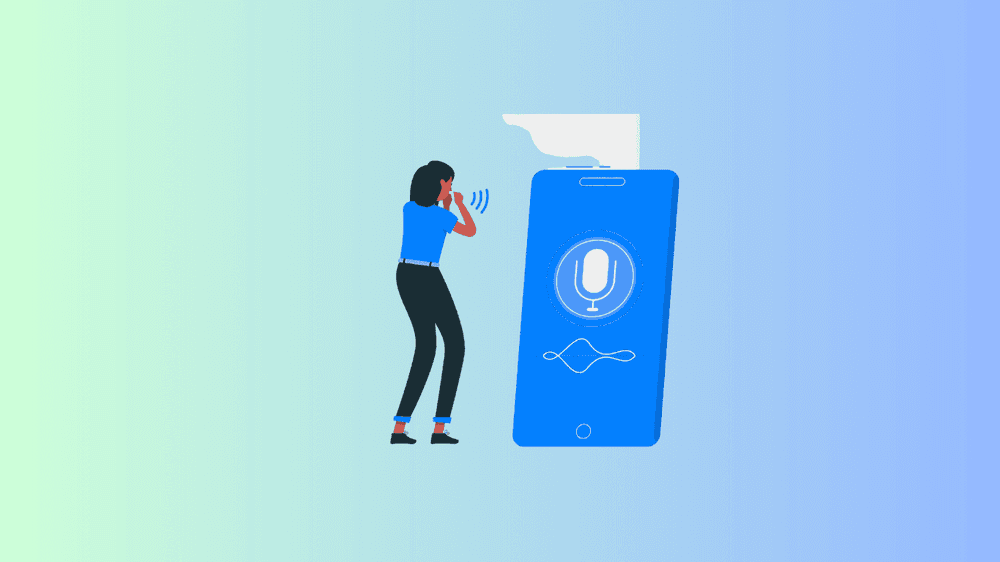
Speaking English fluently and clearly is a goal for many learners, but practicing alone can be challenging. What if you had a real-time pronunciation coach? Voice recognition tools are transforming the way people improve their spoken English, helping learners refine pronunciation, fluency, and accent in an interactive way.
Why Use Voice Recognition Tools for English Learning? 🤔
Voice recognition technology listens to your speech, analyzes pronunciation, and provides instant feedback, helping you improve in real-time. These tools can:
✅ Identify mispronounced words and suggest corrections.
✅ Help improve intonation, rhythm, and fluency.
✅ Allow learners to practice speaking without fear of judgment.
✅ Adapt to different English accents and proficiency levels.
💡 Best of all? You can practice anytime, anywhere, without needing a speaking partner!
Top Voice Recognition Tools to Improve Your English Speaking Skills 🎤📲
1️⃣ Google Speech-to-Text (Google Voice Typing) 🗣️💬
Best for: Checking pronunciation accuracy through text conversion.
🔹 How It Works:
- Speak into your phone or computer, and Google will transcribe what it hears.
- If the text isn’t correct, it means your pronunciation needs improvement.
🔹 How to Use It:
✅ Open Google Docs and enable Voice Typing.
✅ Read aloud a paragraph and check the transcription.
✅ Identify words Google didn’t recognize and practice them.
💡 Pro Tip: Use it to practice sentence fluency and see which words you need to improve!
2️⃣ Elsa Speak 🏆📱
Best for: Improving pronunciation with AI-powered corrections.
🔹 How It Works:
- Uses artificial intelligence to detect pronunciation mistakes.
- Gives detailed feedback on each word’s stress, sound, and fluency.
🔹 Key Features:
✅ Personalized AI feedback for better pronunciation.
✅ Tracks your progress over time.
✅ Includes real-life conversations for practice.
3️⃣ Speechling 🎧🗣️
Best for: Comparing your pronunciation with native speakers.
🔹 How It Works:
- Listen to a native speaker say a phrase.
- Record yourself saying the same phrase.
- Get instant feedback or submit for a human coach to review.
🔹 Key Features:
✅ Includes interactive exercises with sentence-building.
✅ Covers various English accents (American, British, Australian).
✅ Free version available for essential practice.
💡 Why It’s Great: Perfect for shadowing exercises, where you mimic native pronunciation!
4️⃣ Say It: English Pronunciation 🎙️🔍
Best for: Practicing British and American English sounds.
🔹 How It Works:
- Choose a word and see a visual breakdown of pronunciation.
- Record yourself saying the word.
- Compare your pronunciation vs. a native speaker’s.
🔹 Key Features:
✅ Focuses on phonetics and sound waves for accuracy.
✅ Perfect for learners struggling with specific sounds like “th” or “r”.
✅ Ideal for exam preparation (IELTS, TOEFL, TOEIC).
💡 Pro Tip: If you struggle with certain vowel or consonant sounds, this app will help you refine them.
5️⃣ Microsoft’s Read Aloud Feature (Edge Browser) 🔊
Best for: Practicing intonation and rhythm by listening to natural speech.
🔹 How It Works:
- Open any webpage in the Microsoft Edge browser.
- Click on “Read Aloud”, and a voice will read the text to you.
- Mimic the speech to practice pronunciation and fluency.
🔹 Key Features:
✅ Helps train intonation and sentence rhythm.
✅ Works with articles, books, and PDFs.
✅ Great for listening and speaking practice at the same time.
💡 Why It’s Great: Helps learners internalize natural speech patterns and reduce robotic pronunciation.
How to Use Voice Recognition Tools Effectively 🎯
✅ 1. Start with Simple Sentences
- Read short sentences first before moving to longer passages.
- Choose everyday phrases to practice (e.g., “How was your day?”).
✅ 2. Focus on One Weakness at a Time
- If you struggle with specific sounds, use tools like Say It to target them.
- If you want better fluency, practice full conversations with Speechling.
✅ 3. Repeat and Improve
- If a tool misinterprets a word, repeat it until it’s recognized correctly.
- Focus on word stress, intonation, and speed.
✅ 4. Challenge Yourself with Longer Passages
- Once comfortable with short sentences, read aloud a news article or story.
- Use Google Speech-to-Text or Elsa Speak to check for errors.
Common Mistakes to Avoid ❌
🚫 Speaking too fast – Focus on clarity over speed.
🚫 Ignoring feedback – If an app says a word is incorrect, practice it again.
🚫 Using only one method – Combine listening, speaking, and AI feedback for better results.
🚫 Not practicing regularly – Consistency is key to improvement.
Voice recognition tools make English speaking practice more accessible, fun, and effective. Whether you want to perfect your pronunciation, improve fluency, or build confidence, these AI-powered apps are your personal English coach!
Quick Recap
✅ Google Speech-to-Text – For checking pronunciation through live transcription.
✅ Elsa Speak – For detailed AI feedback on pronunciation.
✅ Speechling – For mimicking native speakers and shadowing exercises.
✅ Say It: English Pronunciation – For phonetic breakdowns and tricky sounds.
✅ Microsoft Read Aloud – For listening and repeating natural speech patterns.