
Ensure total exam integrity with EduSynch’s AI-powered remote proctoring. Our solution combines automated facial recognition, browser lockdowns, and environmental monitoring to prevent academic dishonesty. This enables institutions to conduct high-stakes English testing remotely without sacrificing security or scalability.














Privacy-First Exam Integrity
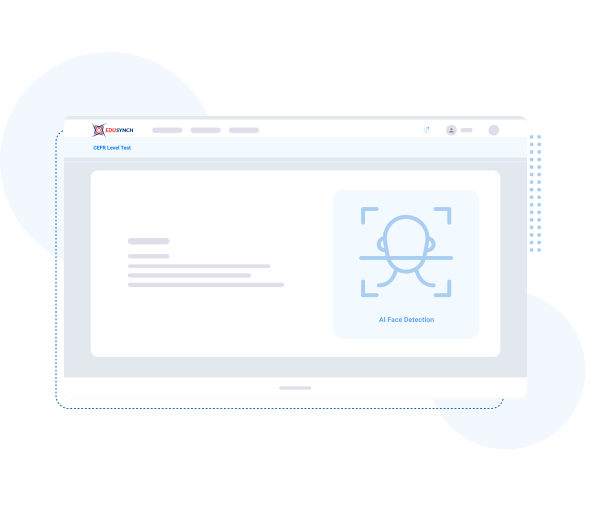
Ensure the highest level of exam security without compromising student privacy. EduSynch’s proctoring suite is fully GDPR and FERPA compliant, utilizing automated facial detection—not recognition—to monitor for academic dishonesty. By focusing on behavioral integrity rather than biometric identification, we provide a secure, fraud-proof testing environment that adheres to the strictest global data protection regulations.

Zero-Installation Accessibility
Eliminate technical barriers with a proctoring solution that requires zero downloads or software installations. Our tools are built directly into the EduSynch system, allowing students to launch secure exams instantly from any standard web browser. This lightweight, "no-install" approach is optimized for low-bandwidth environments, ensuring a reliable and stress-free testing experience for students in any global location.
Institutional Oversight
Scale your testing operations without increasing administrative burden. Our AI automatically flags suspicious behavior—such as unauthorized materials or secondary devices—for later review. This "human-in-the-loop" approach provides administrators with timestamped evidence and incident reports, allowing for objective decision-making while maintaining a respectful, non-intrusive testing experience for every candidate.


Test takers must show a government-issued ID at the start of the session, which is authenticated to prevent impersonation.
Each test is supervised with webcam, microphone, and mouse/keyboard tracking to detect access to unauthorized resources.
All user activity—including random screenshots—is recorded in an event log for administrators to review and act on.
Operational questions from teams evaluating remote test integrity, security controls, and global delivery.
Send us a quick message and our team will follow up.